
Creating and verifying a Gate.io account for the first time can be overwhelming. Small mistakes might delay your KYC verification.
This guide walks you through the process step by step. It shows you how to create and verify your Gate.io account from the start.
With simple steps and screenshots, you can avoid KYC verification rejection and save hours of waiting.
Let’s start.
How to Create a Gate.io Account
Gate.io has been around since 2013, and millions of traders worldwide use the platform. Creating an account takes a few minutes when you know where to click. Let’s start with step one of the process.
STEP 1: Go to the Gate.io Site and Enter Your Details
First, head to the official Gate.io exchange website. You’ll arrive at the sign up page, where Gate.io will ask for either your email address or phone number. Enter what works best for you and move on to the next step.

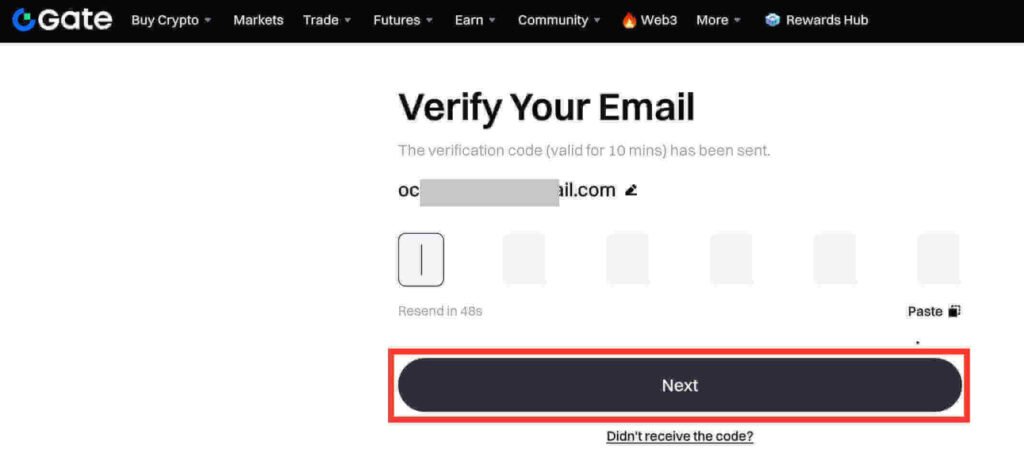
STEP 2: Verify Your Email Address
Next, Gate.io will send a 6-digit account verification code to the email or phone number you provided. Check your inbox and copy the code. Go back to the sign up page, paste the code into the required field, and click Next to continue.
STEP 3: Set Your Account Password
This is where you’ll set a password for your Gate.io account. Pick something strong but easy for you to remember. Then click Confirm.
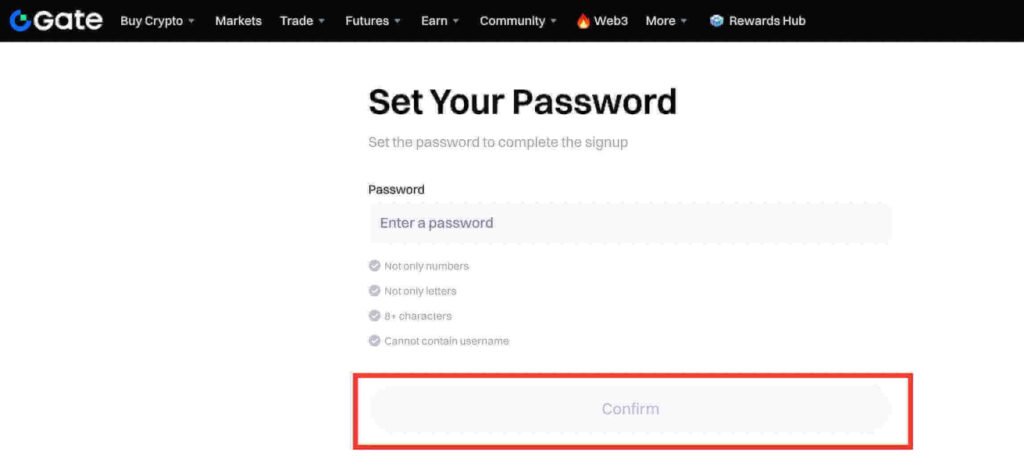
Your Gate.io account creation will be complete. The next step is KYC verification.
How to Verify Gate.io Account
To deposit or withdraw crypto, you need to complete KYC verification. This is something all crypto exchanges mandate.
During Gate.io’s KYC process, you’ll enter a few basic personal details. Here’s the fastest way to do it:
STEP 1: Download the Gate.io App
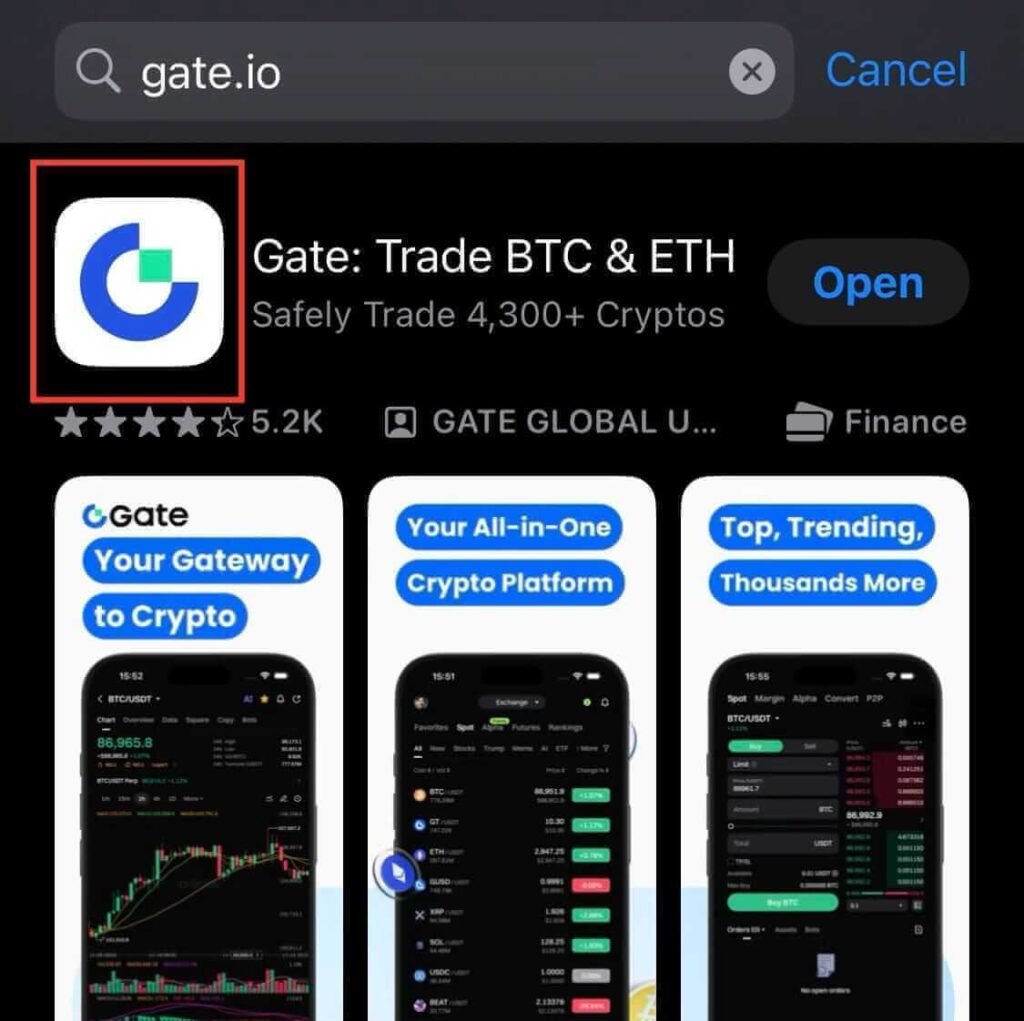
First, open the App Store or Google Play Store and search for Gate.io. After you find it, download and install it on your phone. This is the best way to complete Gate.io KYC verification.
STEP 2: Log In to Your Account
Next, open the Gate.io app and log in using the email or phone number and password you signed up with. You’ll land on your account dashboard.
STEP 3: Go to Your Account Profile
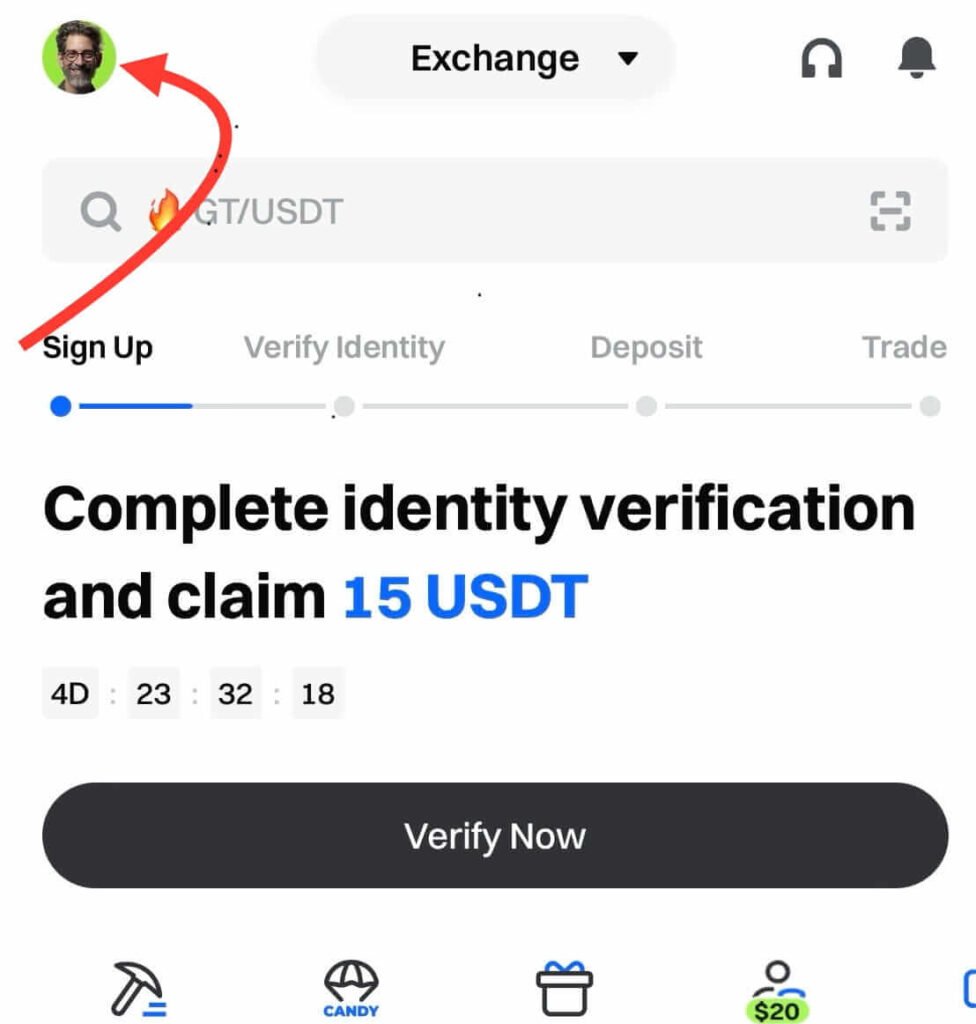
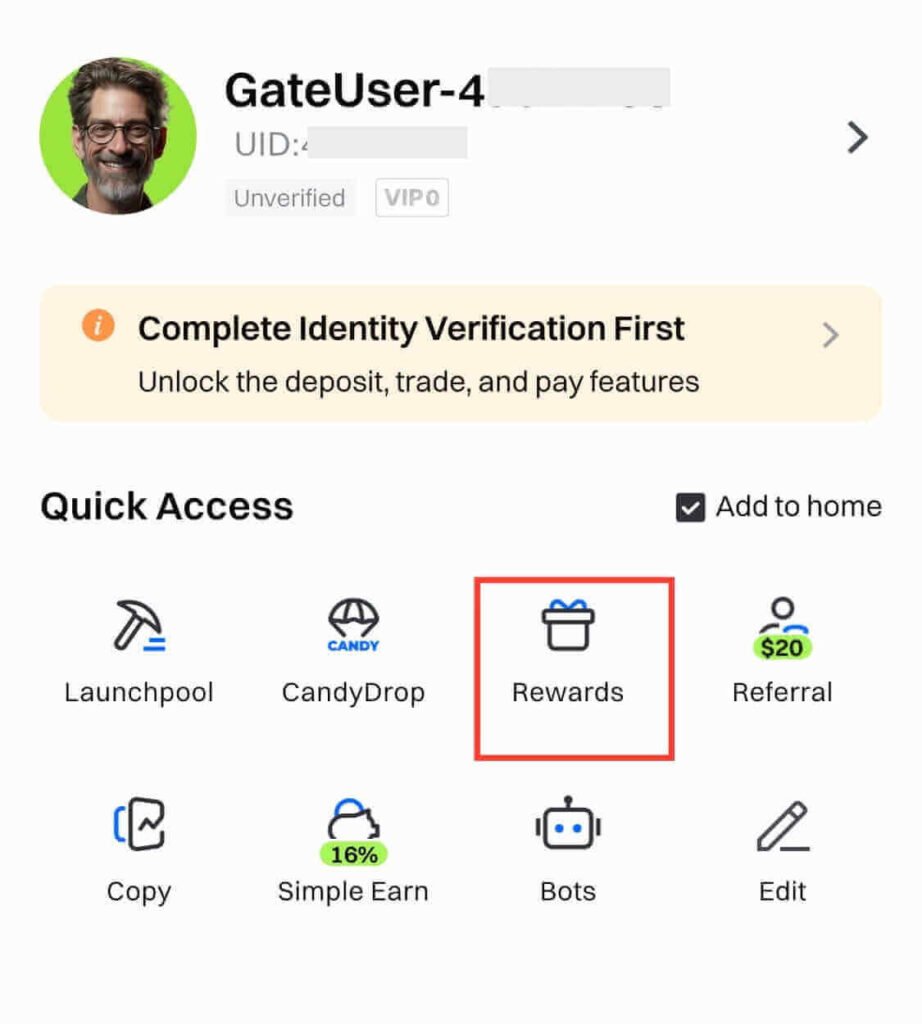
Tap the profile icon in the top left corner of the screen. This is where you start the KYC verification process.
STEP 4: Go to the Rewards
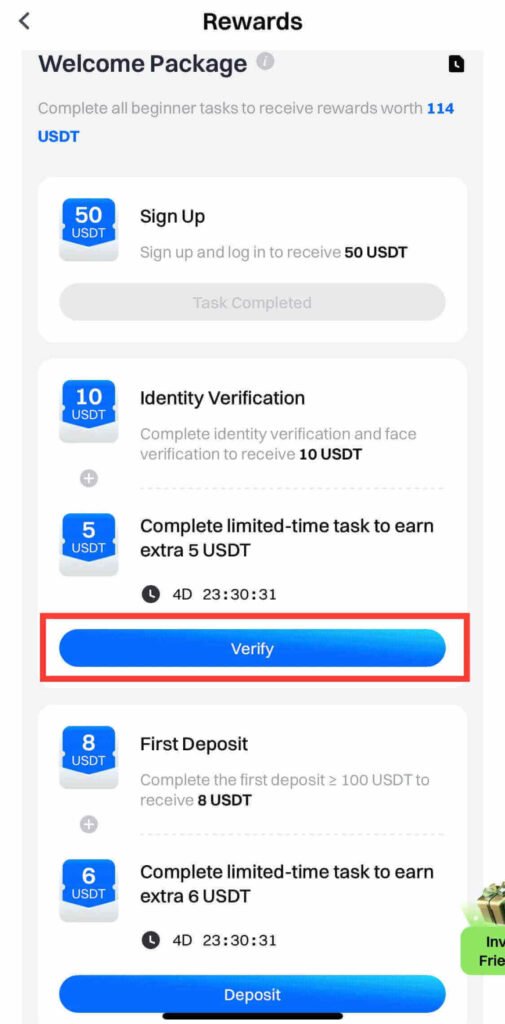
After opening your account profile, tap Rewards to open the beginner tasks page. One of the tasks is identity verification.
STEP 5: Start Identity Verification
You’ll see a list of beginner tasks. Find Identity Verification and tap Verify. The app will take you to the main KYC verification page.
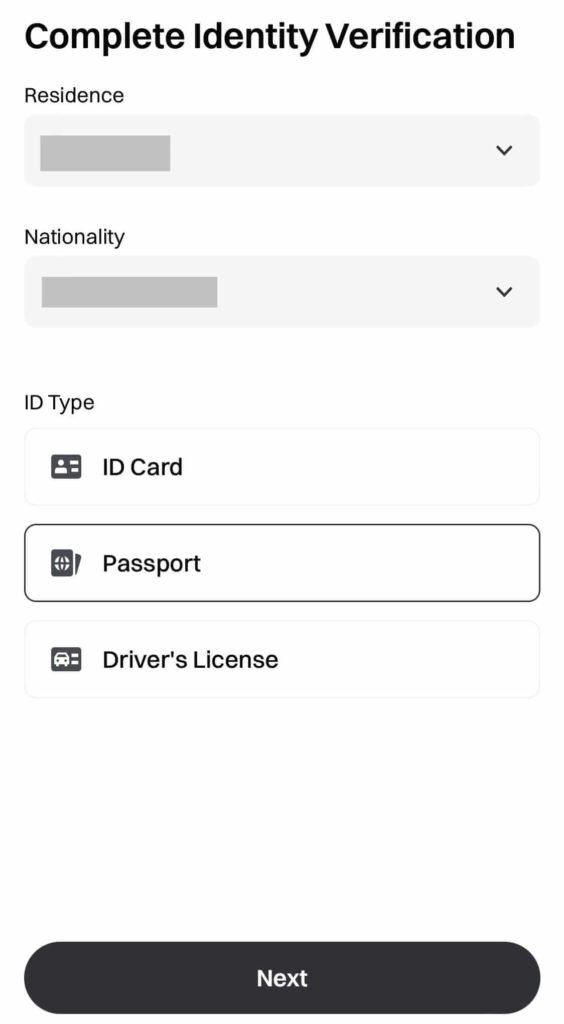
STEP 6: Enter Your Identity Details
Select your country of residence and your nationality from the dropdown menus. Then choose the ID you want to use. If you have a passport, that’s the best option. Otherwise, pick a driver’s license or another government-issued ID. Click Next to continue.
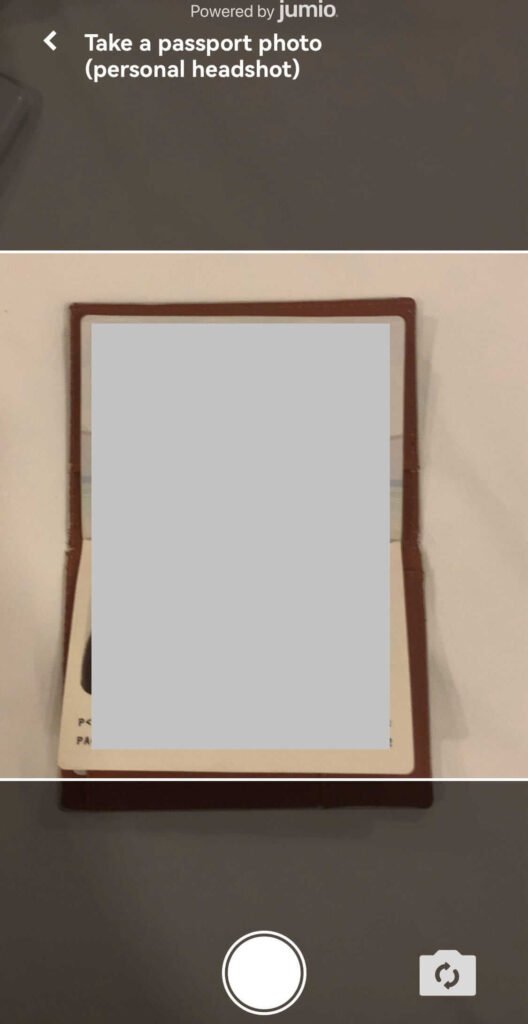
STEP 7: Take a Photo of Your ID
The app will prompt you to use your camera to take a photo of your ID. Place the ID on a flat surface and make sure it fits within the frame. Take the photo to move to the next step.
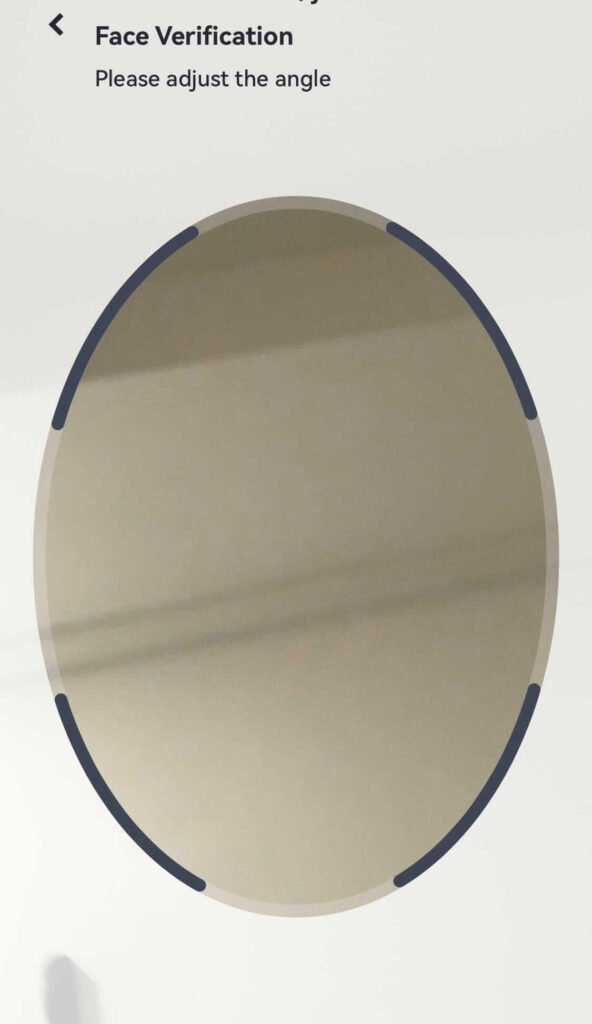
STEP 8: Complete Face Verification
Next, you’ll complete face verification using your camera. Position your face inside the frame and follow the on-screen instructions. The system will capture the photo. After you complete the steps, the app will submit your identity verification.
STEP 9: Wait for KYC Approval
The approval takes 2 to 10 minutes. In some cases, it can take up to 24 hours. Gate.io will notify you when they approve your verification. Next, you should make your first deposit to unlock deposit rewards. You can also return to the Rewards page to finish other remaining tasks and claim more rewards.
Haven’t signed up yet? Begin here to make sure you’re eligible for the latest Gate.io signup rewards.
Common Gate.io Verification Mistakes to Avoid
Most Gate.io verification delays come down to small, avoidable mistakes. Here are common ones to avoid:
1. Using blurry ID photos
If your ID photo is unclear, cropped, or taken in poor lighting, verification may fail. It’s best to place your ID on a flat surface and make sure every detail is visible before submitting.
2. Mismatched names
The name on your Gate.io account must match your ID. Even small differences can lead to KYC rejection. Missing middle names or spelling errors are common examples.
3. Uploading expired documents
Gate.io accepts only valid IDs. If the document you upload has expired, they will not approve your verification.
4. Covering parts of your face
During face verification, items such as hats, glasses, or masks can block a clear scan. Remove anything that covers your face before you begin.
5. Using someone else’s ID
The face on your ID must match the face used during verification. Any mismatch will result in rejection.
Avoid these common issues, and Gate.io is far more likely to approve your KYC within 2 to 10 minutes.
Conclusion
Creating and verifying a Gate.io account is easy when you follow the steps in the right order. After approval, you can deposit and withdraw crypto. You’ll also be able to trade and claim rewards.
Gate.io stands out for its wide range of cryptocurrencies. It also offers access to coins that just launched.
Use the official Gate.io link to create your account and complete KYC.
FAQs
Additional Resources:
And guess what? We’re also on Instagram and Twitter(X). Join us there for even more fun and useful content!
DISCLAIMER:
This guide contains affiliate links. If you sign up through any of the links, I may earn a commission at no extra cost to you. All bonus rewards and promotions are subject to Gate.io’s official terms and conditions.